'%20d='M35.1527%2028.5549L35.1527%2069L17.6979%2069L17.6979%2028.5549L-0.162012%2028.5549L-0.162012%2014.6489L52.9354%2014.6489L52.9354%2028.5549L35.1527%2028.5549ZM108.55%2031.313Q108.55%2036.2891%20105.85%2040.3201Q103.169%2044.3511%2098.0385%2046.2412L110.132%2069L90.5358%2069L80.8923%2049.1729L74.4118%2049.1729L74.4118%2069L56.957%2069L56.957%2014.6489L90.2272%2014.6489Q96.0712%2014.6489%20100.218%2016.9055Q104.365%2019.1428%20106.448%2022.981Q108.55%2026.8191%20108.55%2031.313ZM90.7673%2032.0266Q90.7673%2029.8857%2089.34%2028.4778Q87.9321%2027.0505%2085.8684%2027.0505L74.4118%2027.0505L74.4118%2037.0798L85.8684%2037.0798Q87.9321%2037.0798%2089.34%2035.6333Q90.7673%2034.1675%2090.7673%2032.0266ZM150.883%2069L148.607%2061.343L129.551%2061.343L127.276%2069L109.416%2069L129.243%2014.6489L149.552%2014.6489L169.379%2069L150.883%2069ZM133.197%2049.1729L144.962%2049.1729L139.272%2029.8086L138.964%2029.8086L133.197%2049.1729ZM210.844%2069L188.028%2042.6152L188.028%2069L171.981%2069L171.981%2014.6489L187.237%2014.6489L210.054%2041.4194L210.054%2014.6489L226.101%2014.6489L226.101%2069L210.844%2069ZM256.674%2013.7039Q267.108%2013.7039%20273.82%2017.9277Q280.532%2022.1516%20280.686%2030.4451L280.686%2031.3901L264.331%2031.3901L264.331%2031.0815Q264.331%2028.7092%20262.595%2027.1277Q260.859%2025.5461%20257.31%2025.5461Q253.819%2025.5461%20251.968%2026.5876Q250.116%2027.6099%20250.116%2029.1143Q250.116%2031.2358%20252.643%2032.2773Q255.169%2033.2996%20260.782%2034.3989Q267.34%2035.749%20271.564%2037.2148Q275.787%2038.6614%20278.951%2041.9788Q282.114%2045.2961%20282.191%2050.9858Q282.191%2060.6294%20275.672%2065.2969Q269.153%2069.9451%20258.255%2069.9451Q245.526%2069.9451%20238.448%2065.6826Q231.388%2061.4202%20231.388%2050.6001L247.898%2050.6001Q247.898%2054.7083%20250.02%2056.0969Q252.161%2057.4663%20256.674%2057.4663Q259.991%2057.4663%20262.151%2056.7527Q264.331%2056.0391%20264.331%2053.8403Q264.331%2051.8538%20261.92%2050.8701Q259.509%2049.8865%20254.07%2048.7678Q247.435%2047.3599%20243.076%2045.8169Q238.737%2044.2739%20235.497%2040.7251Q232.256%2037.157%20232.256%2031.0815Q232.256%2022.1516%20239.161%2017.9277Q246.085%2013.7039%20256.674%2013.7039ZM312.848%2013.7039Q324.922%2013.7039%20331.942%2019.7407Q338.982%2025.7776%20338.982%2037.0027L322.318%2037.0027Q322.318%2032.2581%20319.83%2029.5Q317.342%2026.7419%20312.751%2026.7419Q307.467%2026.7419%20304.979%2030.0593Q302.491%2033.3767%20302.491%2039.2979L302.491%2044.3511Q302.491%2050.1951%20304.979%2053.551Q307.467%2056.907%20312.597%2056.907Q317.65%2056.907%20320.254%2054.3032Q322.877%2051.6995%20322.877%2046.9548L338.982%2046.9548Q338.982%2058.1028%20332.154%2064.0239Q325.327%2069.9451%20312.848%2069.9451Q298.942%2069.9451%20291.786%2062.8474Q284.631%2055.7305%20284.631%2041.8245Q284.631%2027.9185%20291.786%2020.8208Q298.942%2013.7039%20312.848%2013.7039ZM396.031%2031.313Q396.031%2036.2891%20393.331%2040.3201Q390.65%2044.3511%20385.519%2046.2412L397.612%2069L378.017%2069L368.373%2049.1729L361.893%2049.1729L361.893%2069L344.438%2069L344.438%2014.6489L377.708%2014.6489Q383.552%2014.6489%20387.699%2016.9055Q391.846%2019.1428%20393.929%2022.981Q396.031%2026.8191%20396.031%2031.313ZM378.248%2032.0266Q378.248%2029.8857%20376.821%2028.4778Q375.413%2027.0505%20373.349%2027.0505L361.893%2027.0505L361.893%2037.0798L373.349%2037.0798Q375.413%2037.0798%20376.821%2035.6333Q378.248%2034.1675%20378.248%2032.0266ZM402.741%2069L402.741%2014.6489L420.195%2014.6489L420.195%2069L402.741%2069ZM459.224%2014.6489Q464.277%2014.6489%20468.231%2016.9827Q472.185%2019.3164%20474.383%2023.386Q476.602%2027.4556%20476.602%2032.5088L476.602%2033.531Q476.602%2038.5842%20474.383%2042.6924Q472.185%2046.8005%20468.231%2049.1343Q464.277%2051.468%20459.224%2051.468L446.186%2051.468L446.186%2069L428.731%2069L428.731%2014.6489L459.224%2014.6489ZM446.186%2038.7385L453.38%2038.7385Q456.138%2038.7385%20457.527%2037.3306Q458.915%2035.9033%20458.915%2033.4539L458.915%2032.8174Q458.915%2030.2908%20457.527%2028.9214Q456.138%2027.5327%20453.38%2027.5327L446.186%2027.5327L446.186%2038.7385ZM513.103%2028.5549L513.103%2069L495.648%2069L495.648%2028.5549L477.788%2028.5549L477.788%2014.6489L530.885%2014.6489L530.885%2028.5549L513.103%2028.5549Z'/%3e%3c/svg%3e)

A missing transcript can mean several different things: the video has no captions, a caption track did not load, the wrong language was selected or the video cannot be accessed. Check which case you have before paying to transcribe the audio.
Check what YouTube provides for this video
Open the video’s description and look for Show transcript. Check the player’s caption menu for available languages as well. YouTube makes its transcript view available for videos with captions; a visible caption track is useful evidence that the words exist even if another tool has not loaded them.
YouTube help: view video transcripts
| What you see | What to try next |
|---|---|
| Captions play, but the transcript tool is empty | Retry the caption request. If the extension was updated, refresh the page when its reconnect message appears. |
| The transcript is in another language | Check the selected caption track. Select the spoken language if it is available; use translation when you want a different output language. |
| No usable caption track is available | Choose AI transcription if the recording is accessible and contains speech. Review the plan requirement and credit estimate first. |
| The video is private, restricted or unavailable | Check whether you can access it. AI transcription does not bypass video access restrictions. |
Retry an empty caption request before starting AI transcription
An empty response does not prove the video has no captions. If you can read the captions on YouTube, use Try again in the extension. Check that the panel is showing the video you are currently viewing, especially after moving between a Short and a regular video.
If the problem continues, send support the video URL, browser version, extension version and the error text. These details help distinguish a particular caption track from a connection problem. Do not repeatedly start transcription jobs for the same failed caption request.
Transcription and translation solve different problems
Transcription writes down speech from the audio. Translation changes existing text into another language. If an English video has an English transcript and you want Spanish, translate the transcript. There is usually no reason to transcribe the same audio again for that purpose.
Check the source text first. If it is incomplete or in the wrong language, translating it can carry those problems into the result. Review the original caption selection or choose a fresh audio transcription when the captions are unusable.
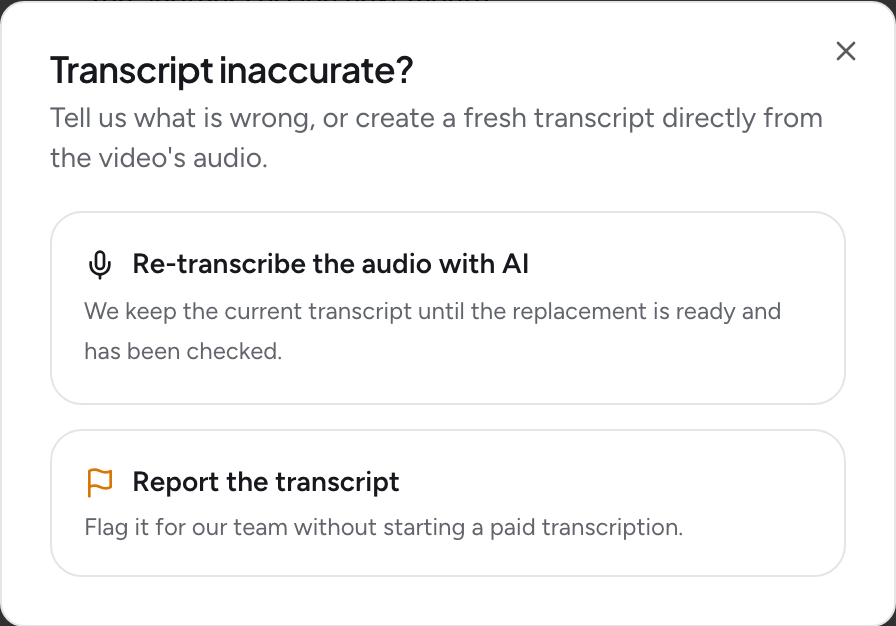
If the captions load but their words are wrong, open “Transcript inaccurate?” to review your options. Retry a loading failure before choosing a fresh transcription.
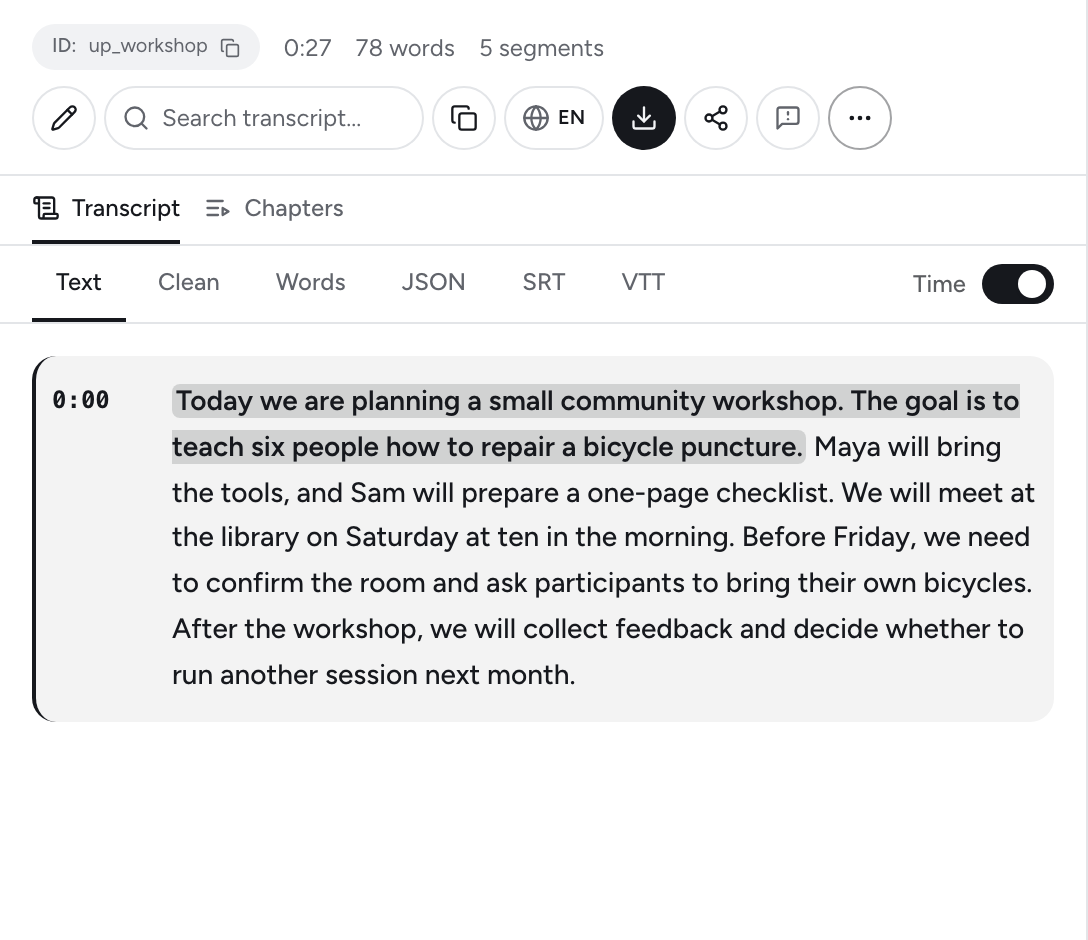
Product screenshot with prepared sample content. Interface shown in English.
When AI transcription is the useful next step
In Transcript Guru, choose Transcribe with AI when usable captions are unavailable. AI transcription requires an eligible paid plan and uses credits based on recording length. It starts when you choose it; reading available captions does not automatically start paid transcription.
Processing time depends on the recording and current demand. Once it finishes, check names, numbers and important quotations against the audio. A silent recording cannot produce a speech transcript, and overlapping voices or loud music can make the text harder to recover.
If you have the original file and permission to process it, you can upload that recording in the web app. This is useful for your own interviews, lessons or episodes that were never published with captions.
AI transcription for videos without usable captions · Upload an audio or video file
Choose the right way to get your transcript
Start with available captions. Use AI transcription when you need a transcript from the audio and have an eligible paid plan.
Check a YouTube transcriptRelated Articles
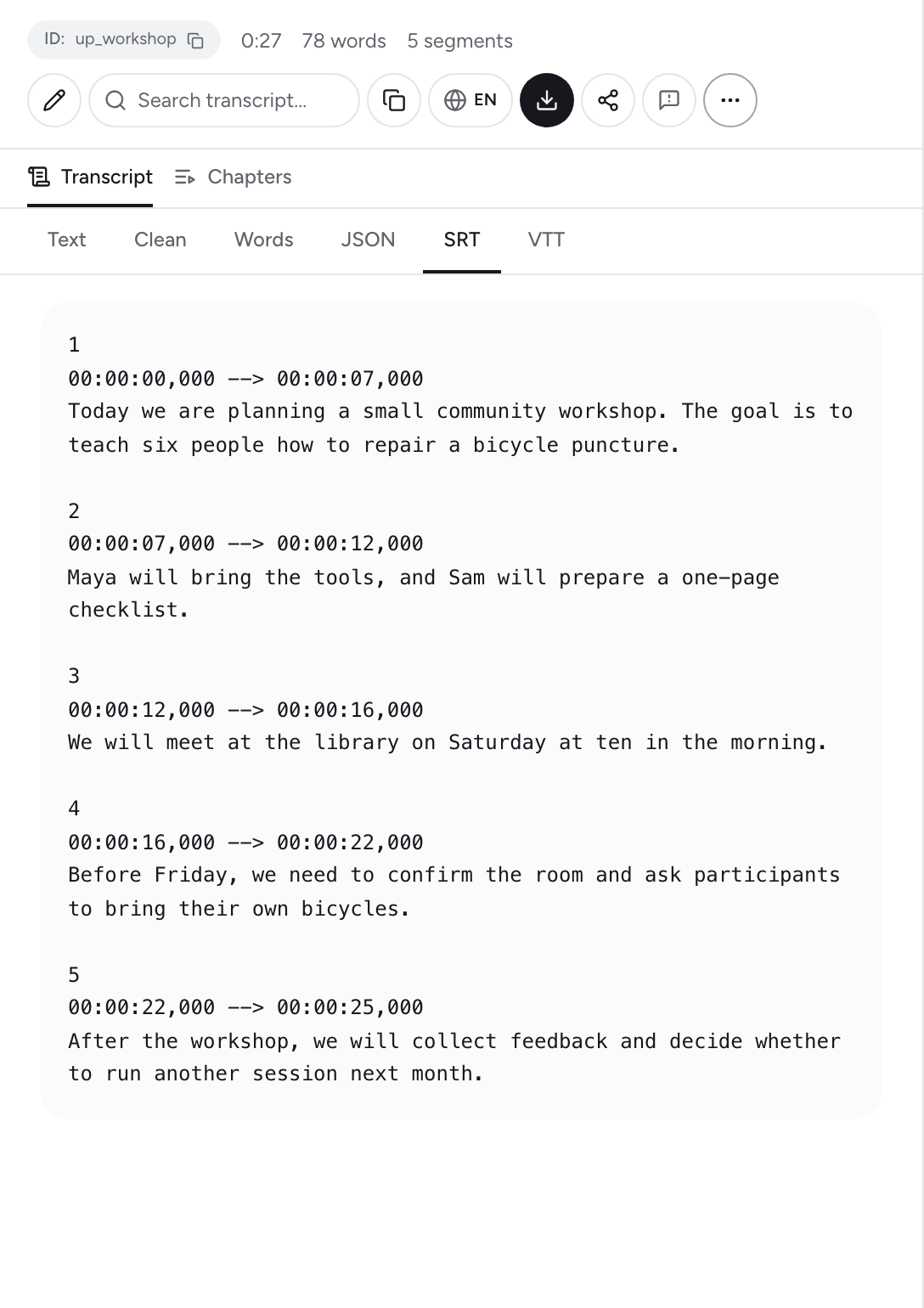
How to Add Subtitles to YouTube Videos
Mar 16, 2026
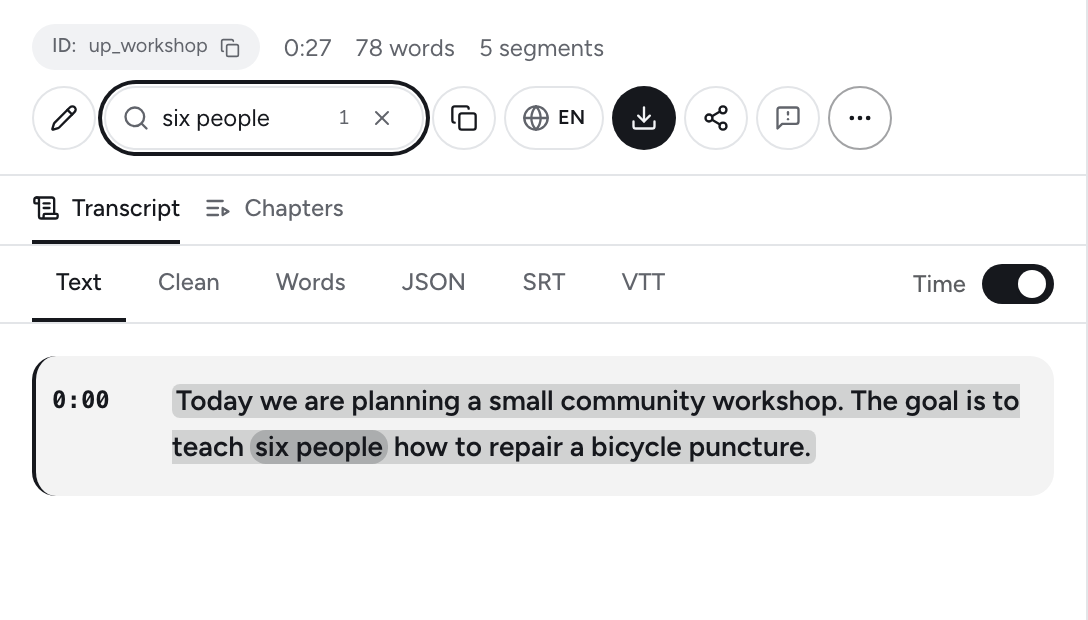
How to Check an Interview Transcript Before Quoting It
Oct 21, 2026
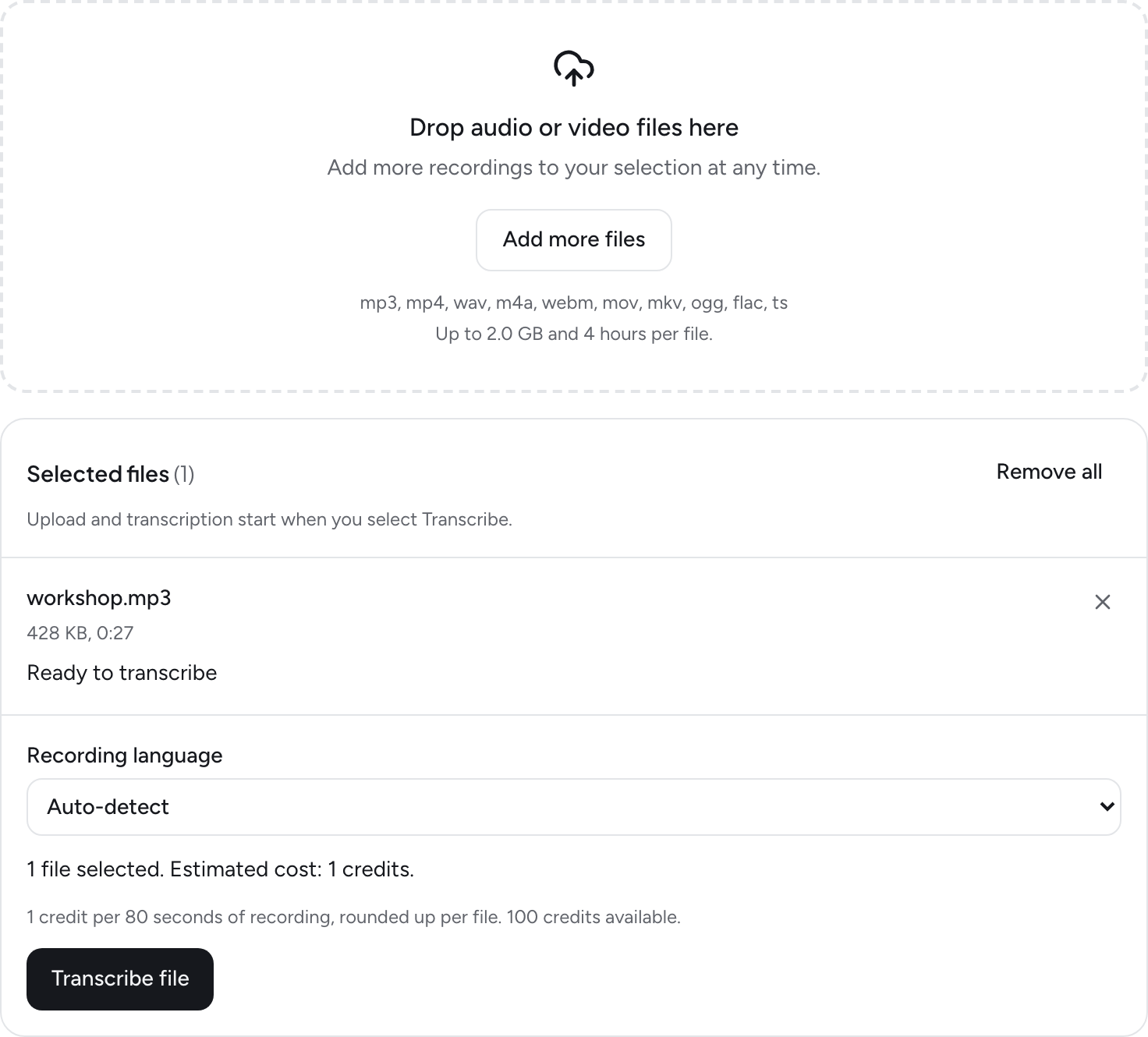
How to Upload Audio and Video Files for AI Transcription
Sep 27, 2026
How to Get a YouTube Transcript: Captions and AI Transcription
Jun 1, 2026