'%20d='M35.1527%2028.5549L35.1527%2069L17.6979%2069L17.6979%2028.5549L-0.162012%2028.5549L-0.162012%2014.6489L52.9354%2014.6489L52.9354%2028.5549L35.1527%2028.5549ZM108.55%2031.313Q108.55%2036.2891%20105.85%2040.3201Q103.169%2044.3511%2098.0385%2046.2412L110.132%2069L90.5358%2069L80.8923%2049.1729L74.4118%2049.1729L74.4118%2069L56.957%2069L56.957%2014.6489L90.2272%2014.6489Q96.0712%2014.6489%20100.218%2016.9055Q104.365%2019.1428%20106.448%2022.981Q108.55%2026.8191%20108.55%2031.313ZM90.7673%2032.0266Q90.7673%2029.8857%2089.34%2028.4778Q87.9321%2027.0505%2085.8684%2027.0505L74.4118%2027.0505L74.4118%2037.0798L85.8684%2037.0798Q87.9321%2037.0798%2089.34%2035.6333Q90.7673%2034.1675%2090.7673%2032.0266ZM150.883%2069L148.607%2061.343L129.551%2061.343L127.276%2069L109.416%2069L129.243%2014.6489L149.552%2014.6489L169.379%2069L150.883%2069ZM133.197%2049.1729L144.962%2049.1729L139.272%2029.8086L138.964%2029.8086L133.197%2049.1729ZM210.844%2069L188.028%2042.6152L188.028%2069L171.981%2069L171.981%2014.6489L187.237%2014.6489L210.054%2041.4194L210.054%2014.6489L226.101%2014.6489L226.101%2069L210.844%2069ZM256.674%2013.7039Q267.108%2013.7039%20273.82%2017.9277Q280.532%2022.1516%20280.686%2030.4451L280.686%2031.3901L264.331%2031.3901L264.331%2031.0815Q264.331%2028.7092%20262.595%2027.1277Q260.859%2025.5461%20257.31%2025.5461Q253.819%2025.5461%20251.968%2026.5876Q250.116%2027.6099%20250.116%2029.1143Q250.116%2031.2358%20252.643%2032.2773Q255.169%2033.2996%20260.782%2034.3989Q267.34%2035.749%20271.564%2037.2148Q275.787%2038.6614%20278.951%2041.9788Q282.114%2045.2961%20282.191%2050.9858Q282.191%2060.6294%20275.672%2065.2969Q269.153%2069.9451%20258.255%2069.9451Q245.526%2069.9451%20238.448%2065.6826Q231.388%2061.4202%20231.388%2050.6001L247.898%2050.6001Q247.898%2054.7083%20250.02%2056.0969Q252.161%2057.4663%20256.674%2057.4663Q259.991%2057.4663%20262.151%2056.7527Q264.331%2056.0391%20264.331%2053.8403Q264.331%2051.8538%20261.92%2050.8701Q259.509%2049.8865%20254.07%2048.7678Q247.435%2047.3599%20243.076%2045.8169Q238.737%2044.2739%20235.497%2040.7251Q232.256%2037.157%20232.256%2031.0815Q232.256%2022.1516%20239.161%2017.9277Q246.085%2013.7039%20256.674%2013.7039ZM312.848%2013.7039Q324.922%2013.7039%20331.942%2019.7407Q338.982%2025.7776%20338.982%2037.0027L322.318%2037.0027Q322.318%2032.2581%20319.83%2029.5Q317.342%2026.7419%20312.751%2026.7419Q307.467%2026.7419%20304.979%2030.0593Q302.491%2033.3767%20302.491%2039.2979L302.491%2044.3511Q302.491%2050.1951%20304.979%2053.551Q307.467%2056.907%20312.597%2056.907Q317.65%2056.907%20320.254%2054.3032Q322.877%2051.6995%20322.877%2046.9548L338.982%2046.9548Q338.982%2058.1028%20332.154%2064.0239Q325.327%2069.9451%20312.848%2069.9451Q298.942%2069.9451%20291.786%2062.8474Q284.631%2055.7305%20284.631%2041.8245Q284.631%2027.9185%20291.786%2020.8208Q298.942%2013.7039%20312.848%2013.7039ZM396.031%2031.313Q396.031%2036.2891%20393.331%2040.3201Q390.65%2044.3511%20385.519%2046.2412L397.612%2069L378.017%2069L368.373%2049.1729L361.893%2049.1729L361.893%2069L344.438%2069L344.438%2014.6489L377.708%2014.6489Q383.552%2014.6489%20387.699%2016.9055Q391.846%2019.1428%20393.929%2022.981Q396.031%2026.8191%20396.031%2031.313ZM378.248%2032.0266Q378.248%2029.8857%20376.821%2028.4778Q375.413%2027.0505%20373.349%2027.0505L361.893%2027.0505L361.893%2037.0798L373.349%2037.0798Q375.413%2037.0798%20376.821%2035.6333Q378.248%2034.1675%20378.248%2032.0266ZM402.741%2069L402.741%2014.6489L420.195%2014.6489L420.195%2069L402.741%2069ZM459.224%2014.6489Q464.277%2014.6489%20468.231%2016.9827Q472.185%2019.3164%20474.383%2023.386Q476.602%2027.4556%20476.602%2032.5088L476.602%2033.531Q476.602%2038.5842%20474.383%2042.6924Q472.185%2046.8005%20468.231%2049.1343Q464.277%2051.468%20459.224%2051.468L446.186%2051.468L446.186%2069L428.731%2069L428.731%2014.6489L459.224%2014.6489ZM446.186%2038.7385L453.38%2038.7385Q456.138%2038.7385%20457.527%2037.3306Q458.915%2035.9033%20458.915%2033.4539L458.915%2032.8174Q458.915%2030.2908%20457.527%2028.9214Q456.138%2027.5327%20453.38%2027.5327L446.186%2027.5327L446.186%2038.7385ZM513.103%2028.5549L513.103%2069L495.648%2069L495.648%2028.5549L477.788%2028.5549L477.788%2014.6489L530.885%2014.6489L530.885%2028.5549L513.103%2028.5549Z'/%3e%3c/svg%3e)

An interview transcript helps you find a passage. Before that passage becomes a quotation in a report or article, listen to it. A readable sentence can still contain the wrong name, a missing “not” or a number the speaker corrected a moment later.
Use this review process for research interviews, podcast conversations and recorded discussions. It works with an AI transcript or captions. Keep a copy of the original transcript so you can distinguish transcription corrections from edits to your writing.
1. Decide how much of the interview you need to check
For a direct quotation, check the whole quoted passage and the discussion immediately around it. For a transcript you will share as a record of the interview, review the whole recording. A spot check cannot establish that the remaining text is accurate.
Agree on a convention before editing. A verbatim transcript preserves the spoken wording, including hesitations you choose to retain. An edited reading copy may remove repetition. Label that copy clearly, and avoid silently turning edited prose into a direct quotation.
2. Keep the source and timestamp beside each quotation
Give each recording a recognisable title. When you copy a passage into your notes, keep the recording name and timestamp with it. In Transcript Guru, search the transcript for a distinctive phrase, then use the timestamp to return to the passage.
Listen from before the selected sentence through the end of the answer. Check who is speaking, what question they are answering and whether they qualify the statement. A quotation can reproduce every word correctly while losing its meaning through missing context.
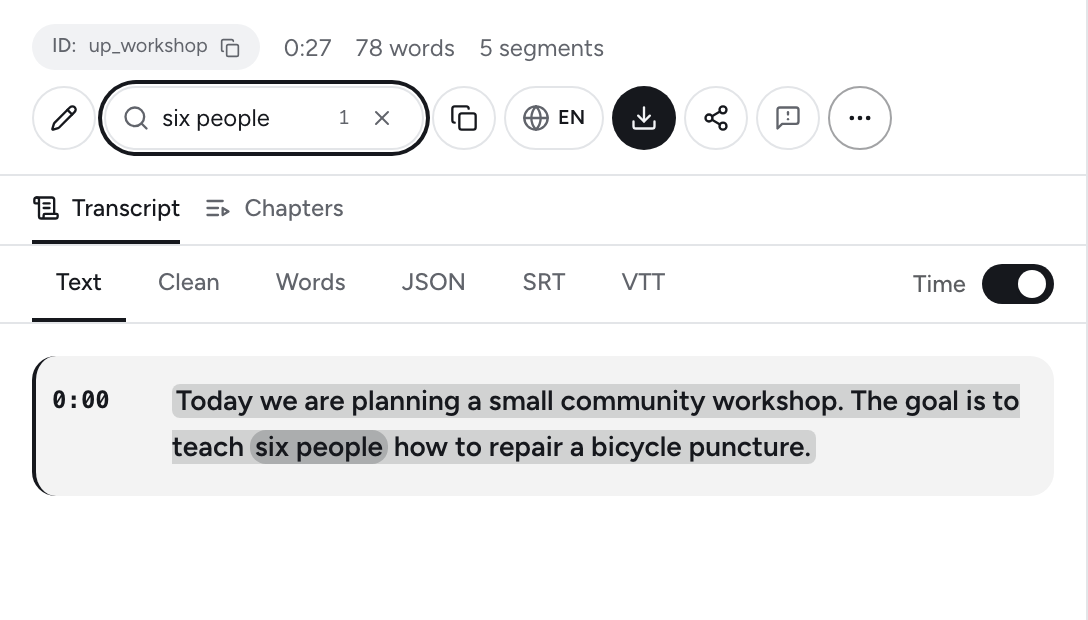
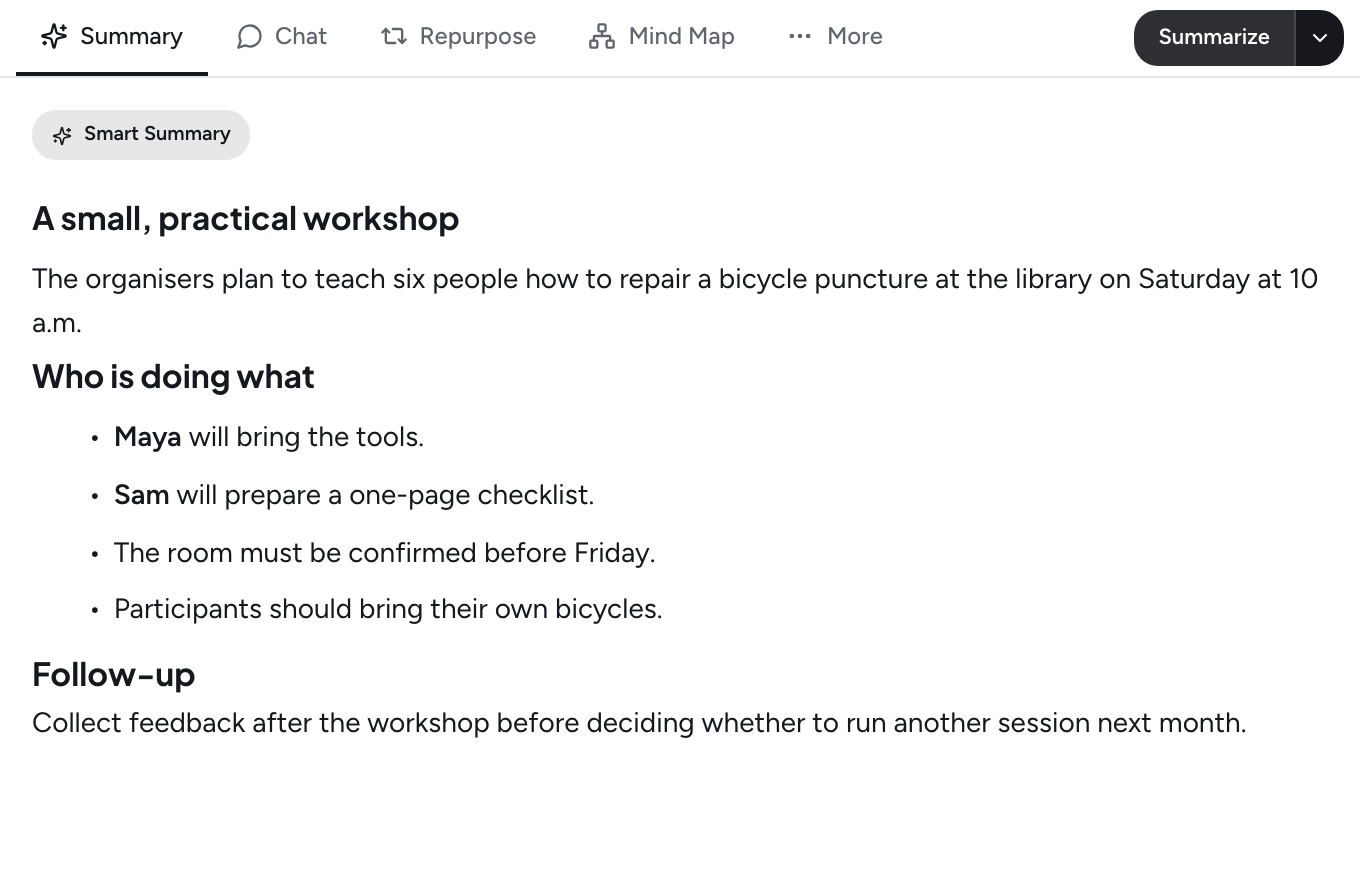
Search for a distinctive phrase, then use its timestamp to check what was actually said. This sample describes a workshop goal, not a completed result.
Product screenshot with prepared sample content. Interface shown in English.
3. Check names, numbers and small words first
- Names and specialist terms: compare the audio with the spelling you can verify from the interview materials. Do not invent a name from a plausible sound.
- Numbers: check the amount, unit, date and whether the speaker is estimating. “About six” is different from “six”.
- Negation and conditions: listen for words such as “not”, “unless” and “if”. Removing one can reverse the claim.
- Overlapping speech: replay the exchange. If a word remains unclear, mark it for review instead of filling the gap with an AI guess.
A worked example: do not turn a plan into a result
Our short workshop sample is an original scripted demonstration with a synthetic voice. It is a practice example, not an interview or an accuracy benchmark. The source says:
“The goal is to teach six people how to repair a bicycle puncture.”
A note saying “Six people learned to repair a puncture” changes the meaning. The recording describes a goal; it does not report attendance or a completed result. A faithful paraphrase is: “The organisers plan to teach six people to repair a bicycle puncture.” Keep the first sentence if you need a direct quotation.
Listen to the workshop sample · Read its source script
4. Separate quotations, paraphrases and your analysis
Use quotation marks only for wording you checked. Put a paraphrase in your own words and retain its source reference. Keep your interpretation in a separate note so it cannot be mistaken for something the interviewee said.
An AI summary can help locate themes, but it should not be your source for an exact quotation. Ask for the relevant passage, find it in the transcript and listen to the recording. If the passage is absent, do not use it as a quote.
5. Export a review copy with enough context
Keep timestamps in the copy you use for checking. A document without timestamps may suit reading, but preserve the timed version for reference. Before sharing, check that you have permission to include the recording and any personal information it contains.
Downloads do not use Transcript Guru credits. Sign-in is required for document and spreadsheet downloads and for plain text without timestamps. You can keep reviewing a transcript after downloading it.
See the interview transcription workflow · How to upload and transcribe a recording
Work from your own interview
Upload a recording, review the transcript and keep the source available while you write. File transcription requires an eligible paid plan and credits.
Transcribe an interviewRelated Articles
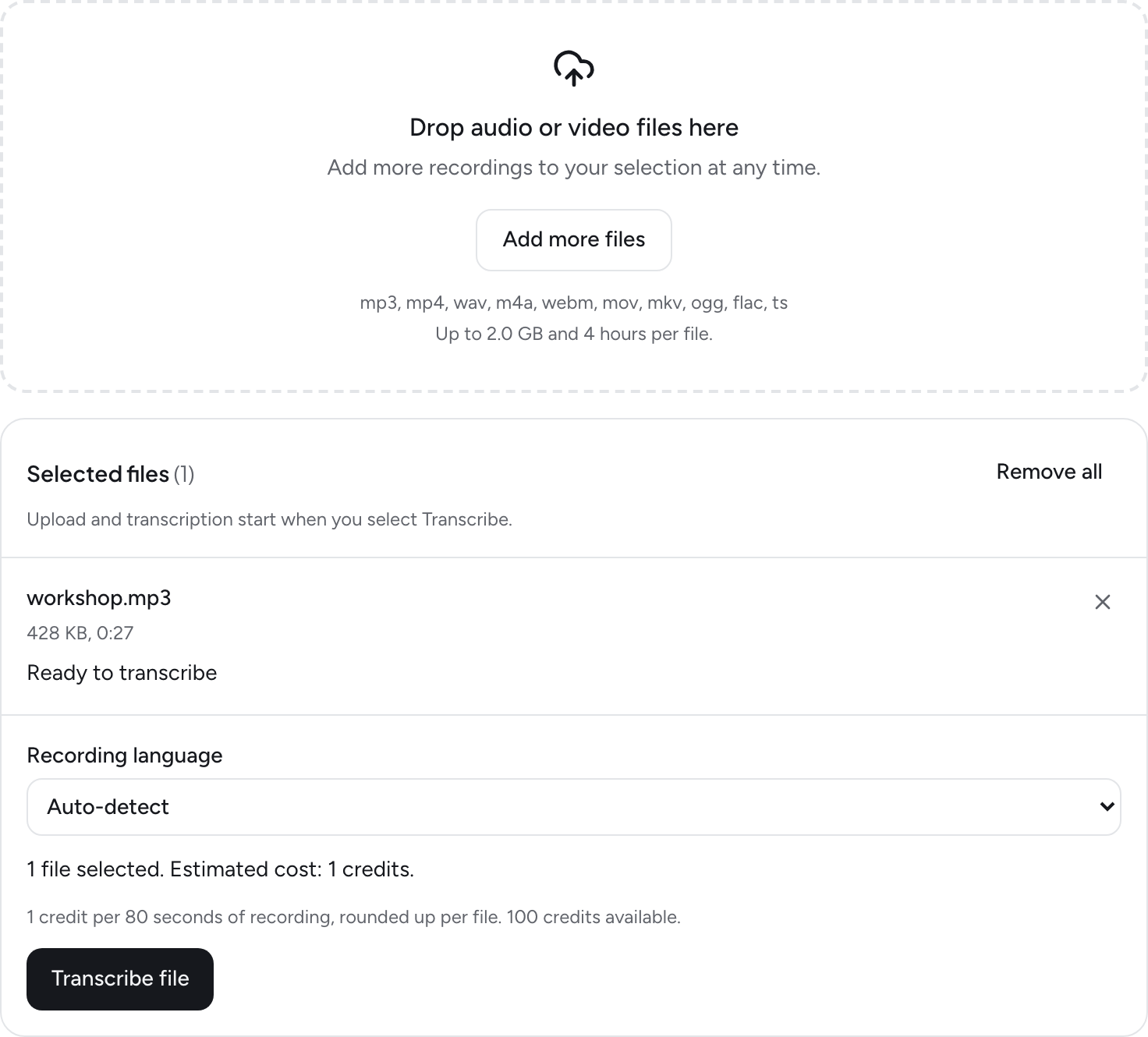
How to Upload Audio and Video Files for AI Transcription
Sep 27, 2026
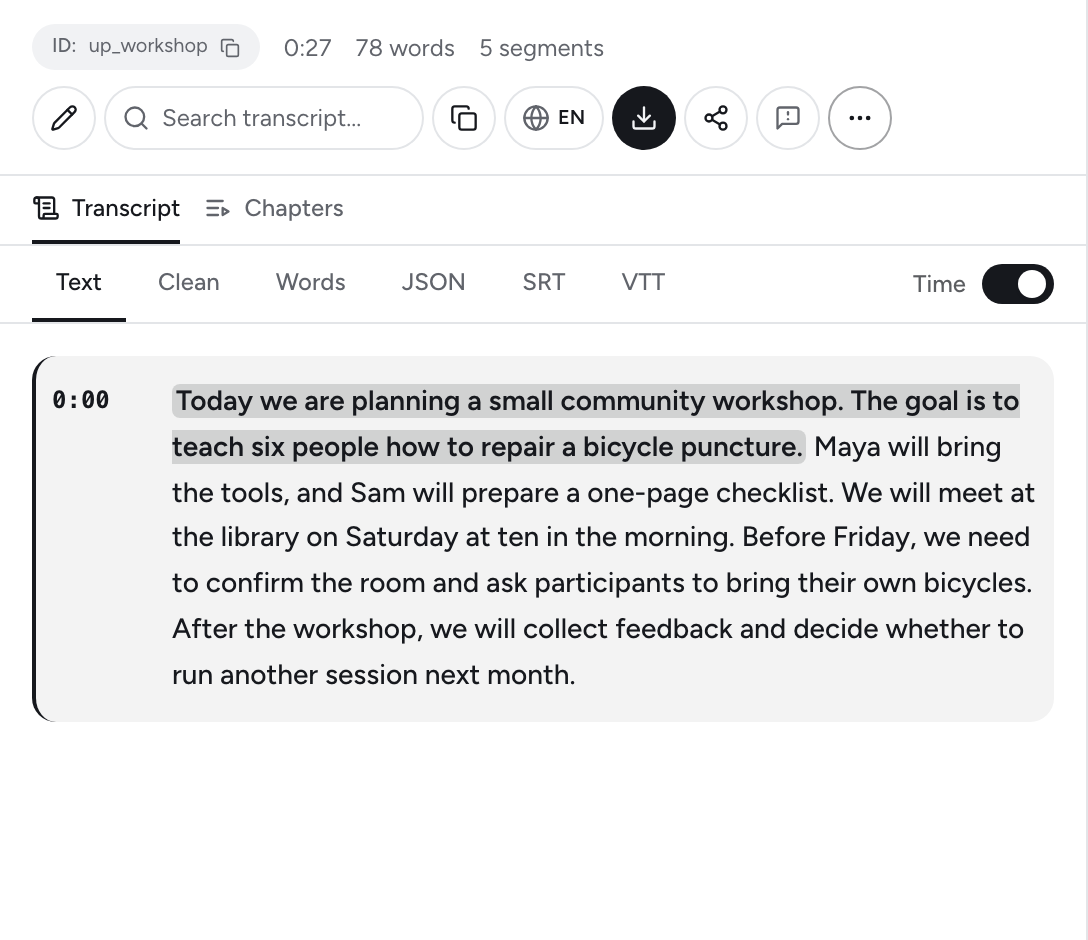
How to Get a YouTube Transcript: Captions and AI Transcription
Jun 1, 2026
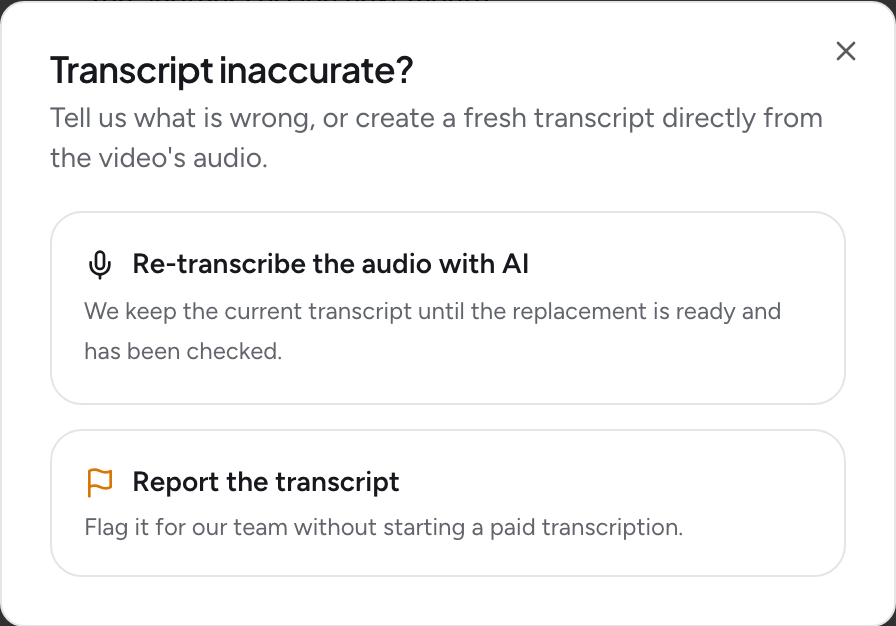
YouTube Captions Unavailable? What to Check Before Transcribing
Oct 21, 2026
How to Summarize a YouTube Video With AI
May 28, 2026